
INSTALL GUIDE
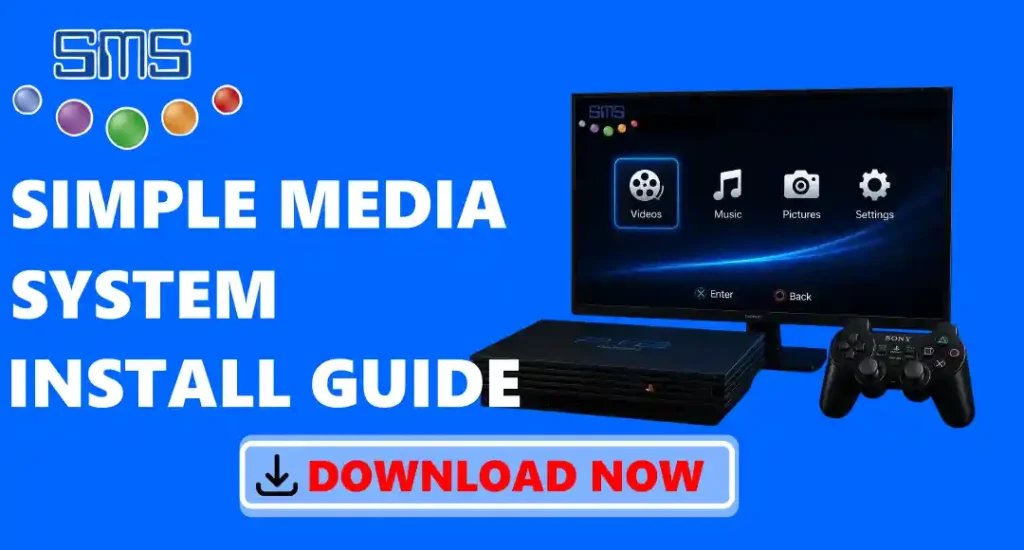
Simple Media System Installation Guide
Installing this application on your PlayStation 2 is easy if you have the required files and tools. Before starting, make sure your PS2 can run homebrew apps with Free McBoot (FMCB) or another homebrew launcher. Download the SMS.ELF file, copy it to a FAT32 USB drive, and connect the USB drive to your PS2. Use uLaunchELF to find and open the file. Once SMS starts, you can use it to watch videos, listen to music, and view photos on your PS2. By following the installation steps carefully, you can quickly set it up and use your PS2 as a basic media player.
Things You Need Before Installing SMS
Before you install it, you need a PlayStation 2 (PS2), a USB flash drive in FAT32 format, and the SMS.ELF file. Your PS2 should also have Free McBoot (FMCB) or another homebrew launcher so it can run SMS. If you want to play media files from your computer, connect your PS2 and computer to the same home network. When everything is ready, you can install and use SMS without any problems.
Download Simple Media System
- Open our website and go to the download page.
- Click the Download button.
- Wait until the SMS ZIP file is downloaded.
- Extract the ZIP file using WinRAR, 7-Zip, or any file extraction app.
- Open the extracted folder and find the SMS.ELF file.
- Copy the SMS.ELF file to a FAT32 USB drive.
- Your SMS file is now ready to install and use on your PlayStation 2.
How to Install Simple Media System on PS2?
- Download the file from our website.
- Copy the SMS.ELF file to a FAT32 USB drive.
- Make sure your PlayStation 2 has Free McBoot (FMCB) or another homebrew launcher. ( IF NOT INSTALLED, DOWNLOAD FREEMCBOOT )
- Plug the USB drive into your PS2.
- Turn on your PlayStation 2.
- Open the Free McBoot menu.
- Open uLaunchELF or another file manager.
- Find the SMS.ELF file on your USB drive.
- Press the X button to open it.
- Wait for SMS to load.
- You can now watch videos, listen to music, and view photos on your PlayStation 2.
How to Launch SMS Using Free McBoot?
- Insert the Free McBoot memory card into your PlayStation 2.
- Turn on your PS2 and wait for the Free McBoot menu to open.
- Connect the FAT32 USB drive that has the SMS.ELF file.
- Open uLaunchELF from the menu.
- Open the mass: folder to see the files on your USB drive.
- Find the SMS.ELF file.
- Press the X button on your PS2 controller to open it.
- You can now watch videos, listen to music, and view photos on your PS2.
How to Play Media Files with SMS?
- Open Simple Media System on your PlayStation 2.
- Connect your USB drive, or use media files from your PS2 hard drive, CD/DVD, or shared folder on your computer.
- Open the folder where your videos, music, or photos are saved.
- Choose the file you want to open.
- Press the X button on your PS2 controller to play the file.
- Use the PS2 controller to play, pause, stop, or change to another file.
- When you want to open another file, go back to the folder and choose a new video, song, or photo.
How to Uninstall Simple Media System?
- Turn off your PlayStation 2.
- Remove the USB drive from the PS2.
- Connect the USB drive to your computer.
- Open the USB drive and find the SMS.ELF file.
- Delete the SMS.ELF file from the USB drive.
- If you saved SMS on your PS2 memory card or hard drive, open uLaunchELF and delete the SMS files.
- Remove the USB drive safely from your computer.
Is Simple Media System Safe to Install?
Yes, it is safe to install if you download it from a trusted website like ours. It is a free app that many PlayStation 2 users have been using for years. The official version does not include viruses, ads, or unwanted software. It does not change your PS2 system or damage your console. It is only made to play videos, music, and show photos on the PS2. You can also scan the downloaded file with antivirus software before using it.
Troubleshoots
- SMS.ELF file is not opening: Make sure your PS2 has Free McBoot (FMCB) or another homebrew launcher installed. Also check that the SMS.ELF file is downloaded correctly and is not damaged.
- USB drive is not detected: Check that your USB drive is formatted in FAT32 and connected properly to your PS2. You can also try using another USB port or a different USB drive.
- SMS.ELF file is missing: Make sure you copied the SMS.ELF file to your USB drive correctly. Open the USB drive using uLaunchELF and check if the file is available.
- Free McBoot menu does not open: Check that the Free McBoot memory card is inserted properly before starting your PS2.
- SMS shows a black screen: Try downloading the SMS file again and replace the old SMS.ELF file, as the file may not have downloaded properly.
- SMS installation is not working: Make sure you extract the ZIP file first before copying the SMS.ELF file to the USB drive. Do not copy the ZIP file directly.
- Media files are not showing in SMS: Check that your videos, music, or photos are in supported formats and saved correctly on your USB drive or storage device.