
DOWNLOAD
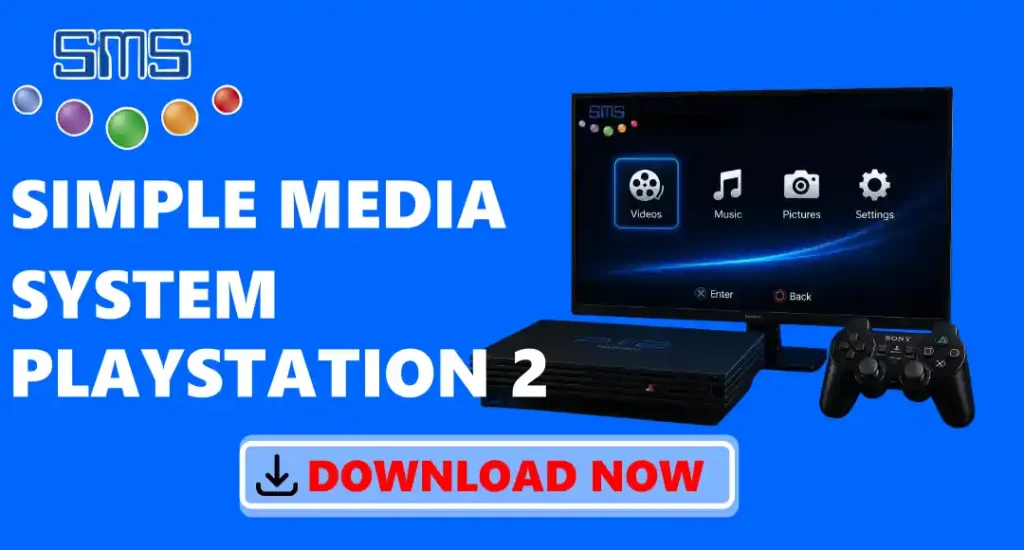
Simple Media System (SMS) is a free media player for the PS2. It helps you watch videos, listen to music, and view photos on your PS2. The app supports many common media file formats, so you can play different types of files easily. You can use media files from a USB drive, CD/DVD, memory card, supported PS2 hard drive, or a shared folder on your local network. It has a clean and simple interface, making it easy for anyone to use. It also supports subtitles for many video files. The app is lightweight, works smoothly, and is trusted by many PS2 users.
Simple Media System Features
- Plays videos.
- Plays music.
- Views photos.
- Supports USB drives.
- Supports CD/DVDs.
- Supports memory cards.
- Supports PS2 hard drives.
- Supports SMB network sharing.
- Displays subtitles.
- Supports many file formats.
- Fast and lightweight.
- Free to use.
Download Simple Media System for PS2
First, you need to install a homebrew launcher, like FreeMCBoot. IF NOT INSTALLED, DOWNLOAD FREEMCBOOT)
- Click the Download button to download the latest SMS file below.
- Wait for the download to finish.
- Copy the SMS.ELF file to a USB drive or PS2 memory card.
- Connect the USB drive or memory card to your PS2.
- Open a homebrew app like Free McBoot, Open PS2 Loader (OPL), or uLaunchELF.
- Select the SMS.ELF file to start Simple Media System on your PS2.
System Requirements
- Console: PlayStation 2
- PS2 Model: Fat or Slim
- Homebrew Support: Free McBoot, OPL, or uLaunchELF
- Storage Device: USB drive, Memory Card, CD/DVD, or supported PS2 HDD
- USB Format: FAT32 (recommended)
- Storage Space: Around 5 MB
- Display: TV or monitor connected to the PS2
- Network: Optional SMB connection for media streaming
How to Install Simple Media System?
- Copy the SMS.ELF file to a USB drive or PS2 memory card.
- Connect the USB drive or memory card to your PS2.
- Turn on your PS2 console.
- Open a homebrew app like Free McBoot, Open PS2 Loader (OPL), or uLaunchELF.
- Find the SMS.ELF file.
- Select the file and press X to open it.
- You can now watch videos, listen to music, and view photos on your PS2.
How to Set Up Simple Media System on PS2?
- Copy the SMS.ELF file to a USB drive or PS2 memory card.
- Connect the USB drive or memory card to your PS2.
- Turn on your PS2.
- Open Free McBoot, OPL, or uLaunchELF.
- Open the SMS.ELF file to start SMS.
- Connect the device that has your videos, music, or photos.
- Choose the files you want to play.
- Enjoy watching videos, listening to music, or viewing photos on your PS2.
How to Play Media Files Using SMS?
- Open Simple Media System (SMS) on your PS2.
- Connect your USB drive, CD/DVD, or memory card.
- Choose the storage device from the SMS menu.
- Open the folder that has your media files.
- Select the video, music, or photo you want to use.
- Press X to play or open the file.
- Use your PS2 controller to play, pause, or stop the file.
- Go back to the menu to choose another file.
Is Simple Media System Safe to Download?
Yes, it is safe to download when you get it from a trusted website. If you download SMS from our website, you will get the original and safe file. We check every file before uploading it to make sure it is clean and does not contain harmful software. We do not change the original SMS file or add any extra programs. We also provide the latest version whenever it is available. To stay safe, always download SMS from trusted websites and avoid downloading it from unknown or suspicious sources.
Troubleshoots
- SMS.ELF file is not found: Check that the SMS.ELF file is copied correctly to your USB drive or PS2 memory card.
- USB drive is not detected: Make sure your USB drive is connected properly and formatted as FAT32 for better compatibility with PS2.
- USB files are not showing: Check that your media files are saved correctly on the USB drive and the drive is working properly.
- Media files are not playing: Make sure your video, audio, or image files are in a format supported by Simple Media System.
- Video has no sound: Check if the audio format inside the video file is supported by SMS. Try playing another video file to test.
- Music files are not playing: Make sure the music file format is supported, and the file is not damaged.
- Photos are not opening: Check that your image files are in supported formats like JPG, PNG, or BMP.
- Subtitles are not working: Make sure the subtitle file is supported and has the same name as the video file.
- The application freezes while playing files: Restart your PS2 and open it again. Try using another media file to check the issue.
- Controller is not working: Check your controller connection and make sure it is working properly.
- The application crashes often: Remove the old application file and install a fresh copy from a trusted source.
- Homebrew launcher cannot start the application: Make sure the SMS.ELF file is not damaged and is placed in the correct location.
Conclusion
It supports different storage options like USB drives, memory cards, CD/DVDs, PS2 hard drives, and network sharing, so you can easily access your files. The app is simple to use, works smoothly, and supports many common media formats. With features like subtitle support and a lightweight design, the application is still a popular choice among PS2 users. If your PS2 supports homebrew apps, Simple Media System is a useful tool to turn your console into a simple media player.