
FEATURES
Simple Media System
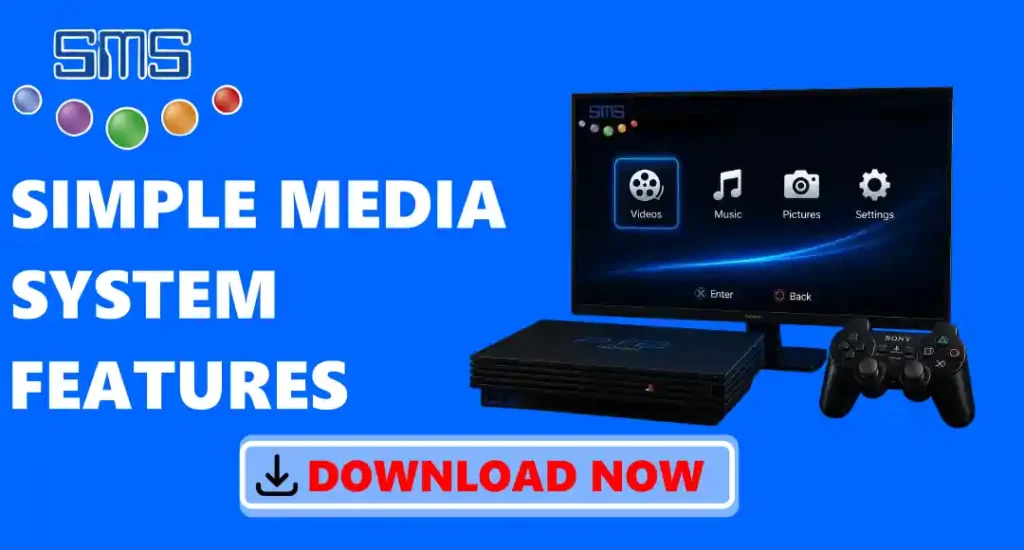
Simple Media System is a free media player for the Sony PlayStation 2. It helps you watch videos, listen to music, and see photos on your PS2. You can play files from a USB drive, PS2 hard drive, CD/DVD, or a shared folder on your computer through a local network. It supports many common video and audio file types and also lets you add subtitles to videos. It has a simple layout that is easy to use with the PS2 controller. If you want to use your PS2 to enjoy movies, music, and pictures, this tool is a good and easy option.
Key Features:-
Supports Many Audio and Video Formats
This application can play many popular audio and video file types on your PlayStation 2. It supports video formats like AVI, DivX, XviD, MPEG-1, MPEG-2, MPG, VOB, and TS. For music, it supports MP3, MP2, WAV, OGG, and AC3 files. You can also open JPEG (JPG) image files to view photos. Because it supports many common file types, you can enjoy your videos, music, and pictures without converting them first.
Play Media Directly from USB Drives
It lets you play videos, music, and view photos directly from a USB flash drive. First, copy your media files to a FAT32 USB drive and connect it to your PlayStation 2. Then open SMS and choose the file you want to play. You do not need to save the files on your PS2 first. The app also has a simple file browser, so you can easily find your videos, songs, and pictures. This makes it a quick and easy way to enjoy your media on your PS2.
Network Streaming Support
It lets you play videos, music, and view photos from your computer using your home network. You do not have to copy the files to a USB drive or your PS2. Just connect your PlayStation 2 and computer to the same network, open the shared folder in the application, and choose the file you want to play. This makes it easy to watch or listen to your media files directly from your computer.
High-Quality Video Playback
It shows clear video quality and plays videos without many interruptions or lag. You can watch movies, TV shows, and other videos in full-screen mode for a better viewing experience. The app also gives you different display settings that you can change to match your TV screen. If your video is in a supported format, this application will play it with good picture and sound quality. This makes watching videos on your PS2 easy and enjoyable.
Built-In File Browser
It has a built-in file browser that makes it easy to find your media files. You can open folders on your USB drive, PS2 hard drive, CD/DVD, or shared network folder to see your videos, music, and photos. The file browser is simple and easy to use with the PS2 controller. You can move through folders, select the file you want, and play it in just a few steps. This helps you find and open your media files quickly.
Playlist Support
It lets you make and use playlists for your music and videos. You can add many songs or videos to one playlist and play them one after another automatically. You do not need to select each file every time. This makes it easier to enjoy your favourite media without stopping to choose the next file.
Subtitle Support
If your video has a subtitle file, this application can show the subtitles on the screen during playback. This helps you understand videos that are in another language or have unclear sound. Just keep the subtitle file in the same folder as the video, and it can load it while the video is playing.
Customizable Video Settings
You can change different video settings to make videos look better on your PlayStation 2. You can change the screen size, display mode, aspect ratio, and video position to match your TV. These settings help the video fit the screen properly and make it more comfortable to watch. If the picture does not look right, you can easily change the settings until it looks better. It also saves your settings, so you do not have to set them again every time you open the app. This makes it easy to watch videos the way you like.
Picture Viewing Support
It lets you view your photos on the PlayStation 2. It supports JPEG (JPG) image files, so you can open pictures from a USB drive, PS2 hard drive, CD/DVD, or a shared folder on your computer. You can easily browse your photos and see them on your TV. Use the PS2 controller to move from one picture to the next. This makes it easy to enjoy your favourite photos on a bigger screen with your family and friends.
Supports Different Screen Resolutions
It supports different screen resolutions, including NTSC (480i), PAL (576i), 480p, 720p, and 1080 on supported PlayStation 2 models and TVs You can choose the resolution that works best with your TV for a clear picture. If the picture does not fit the screen, you can easily change the display settings. This helps your videos and photos look better and gives you a more enjoyable viewing experience.